
The AI doesn't just see a diagram.
It sees the model.
Every DrawMode diagram sits on an underlying model, so the agentic AI assistant understands your system. It's more than a pretty face: the assistant works on the same diagram you do — building, reading, explaining and refactoring real models.
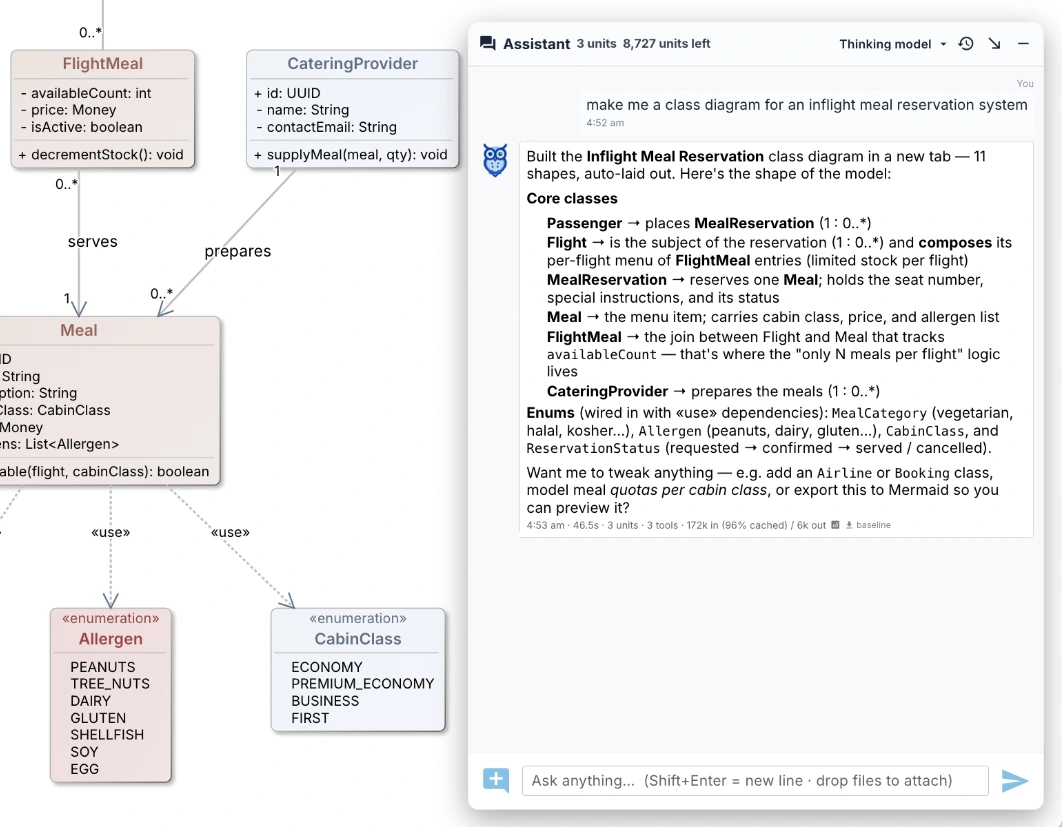
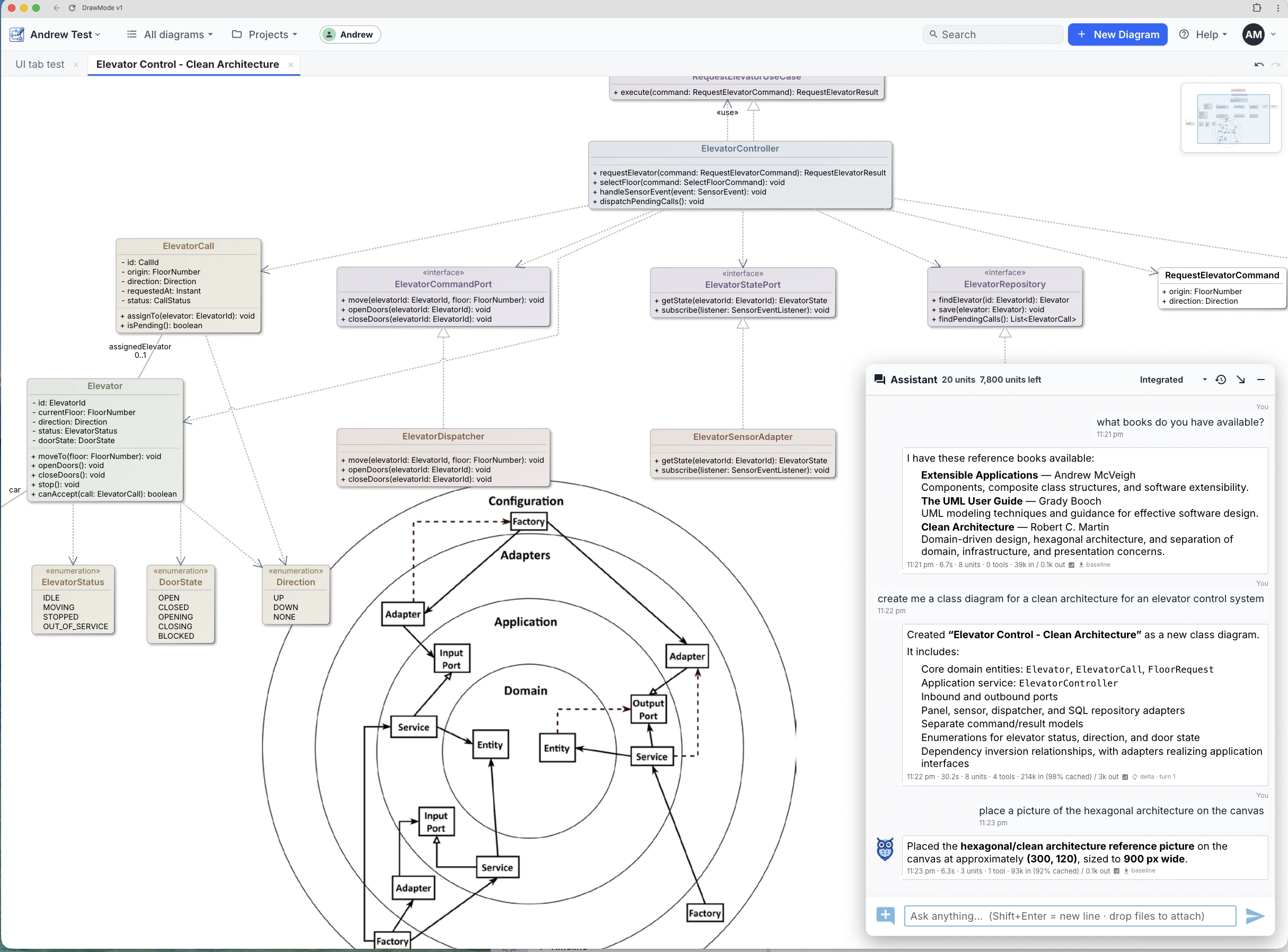
Describe it. It draws it.
Ask for a diagram and the assistant lays out a real, editable model — then keeps working on it with you: extend it, restructure it, question it. Sketch the rough shape by hand and hand it over for the rigour, or start from a prompt and refine by dragging.
- Create a mind map, class model or state machine from a sentence
- Reverse-engineer a class model from code you paste in
- Ask "what's missing?" — it reasons about the design, not the pixels
Your personal expert
Vectorize your own documents — specs, standards, design notes, papers — and the assistant reads them the way it reads your diagrams. Ask a question and it answers from your material, not from the internet's average opinion; ask for a diagram and it draws one grounded in what your documents actually say.
Unlimited on DrawMode Desktop today — coming soon on the web.
It creates more than diagrams
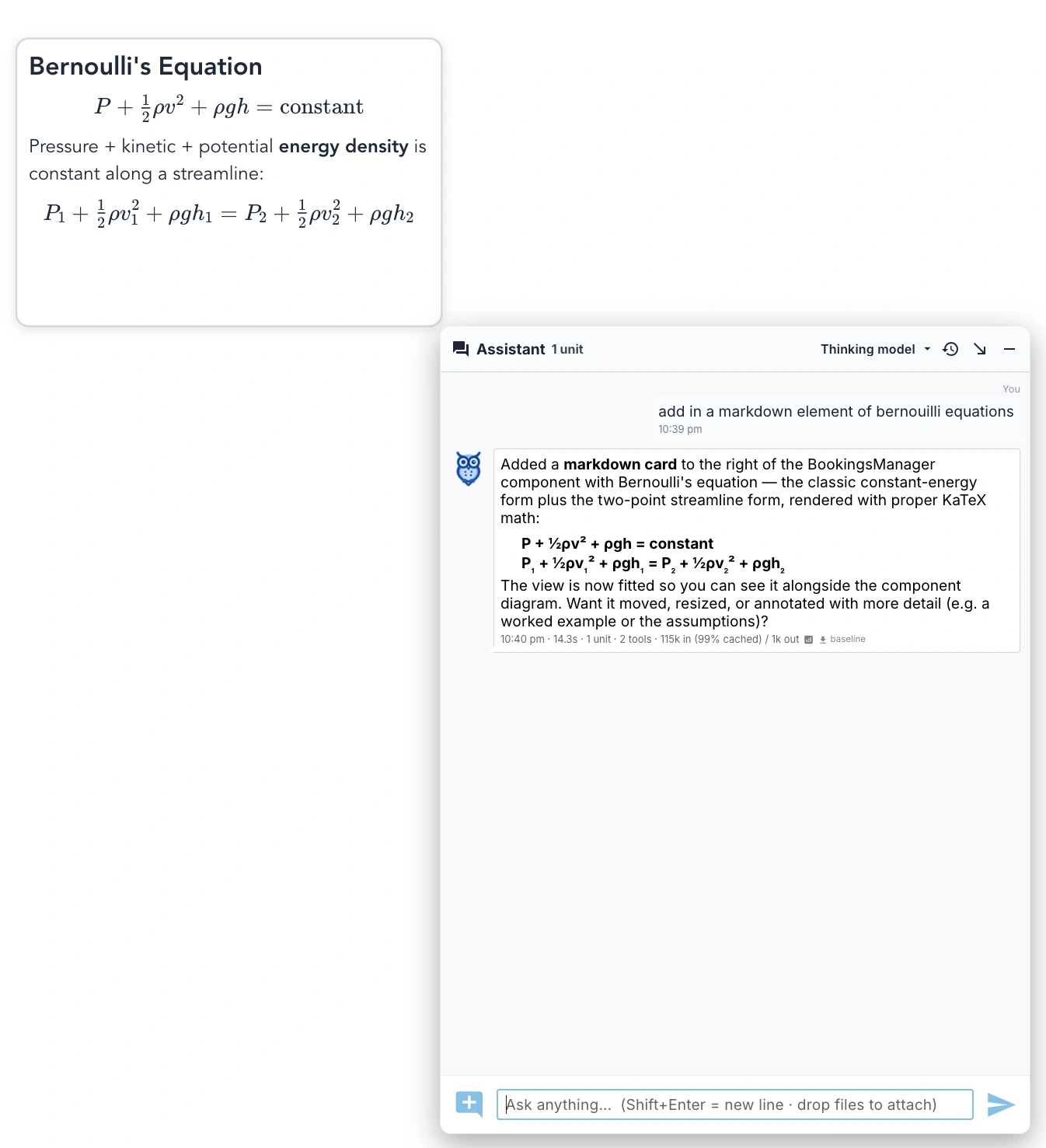
The assistant doesn't stop at boxes and lines. Ask for the reasoning behind a design — a specification, a worked example, a derivation — and it writes rich Markdown notes, KaTeX equations included, straight onto the canvas beside the model they explain.
The diagram and its thinking live on one page.
A model tools can read
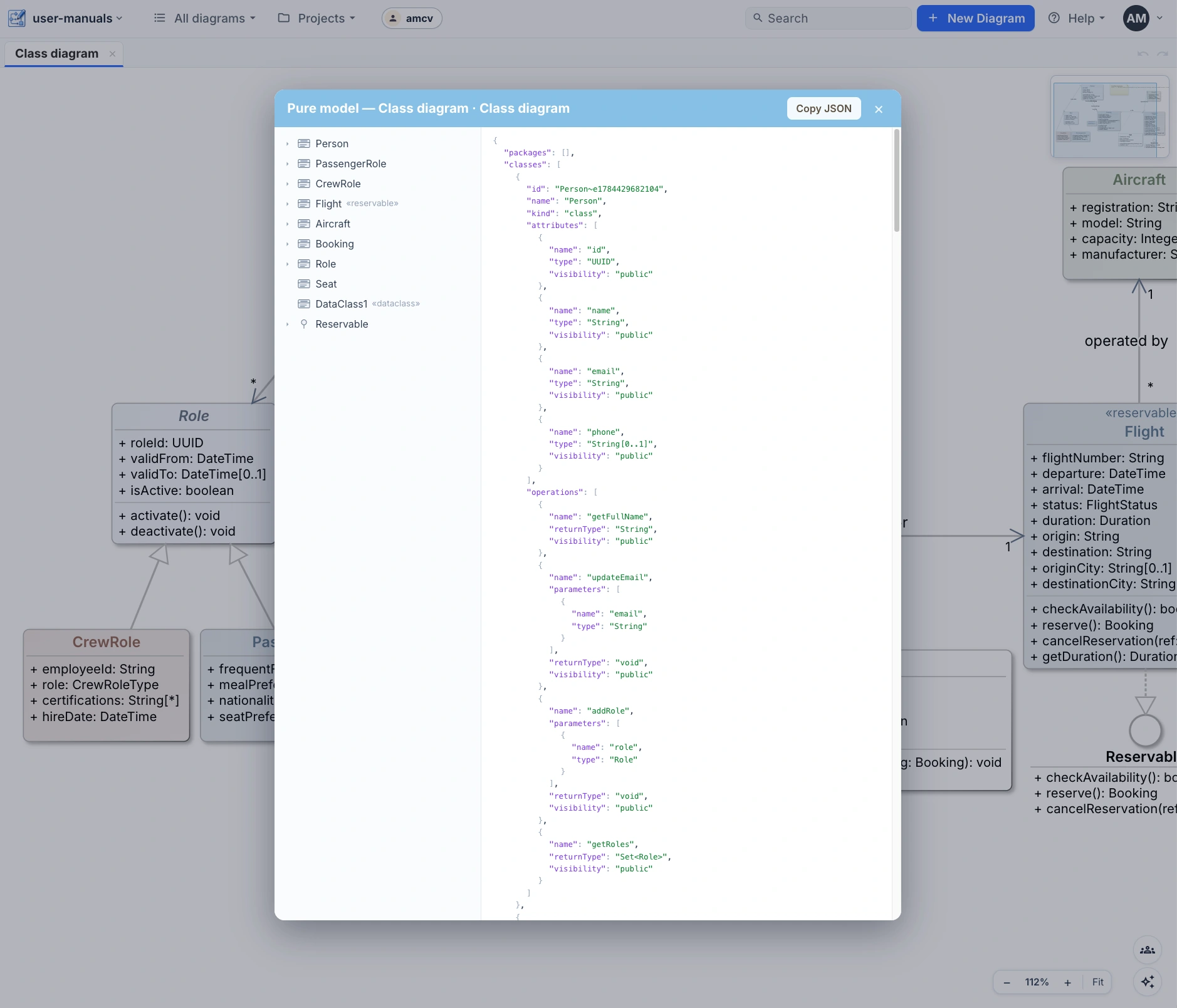
Everything the assistant sees, you can export: the pure model — every type, relationship and constraint, with the cosmetic layer of coordinates and colour stripped away. A clean, typed structure for code generators and downstream AI.
Diagrams also round-trip as plain text — Mermaid, PlantUML and OPML — so models move cleanly between your repo, your docs and other tools.
Draw with a collaborator that gets it.
The assistant is built in — describe a system on the canvas and watch it take shape.